

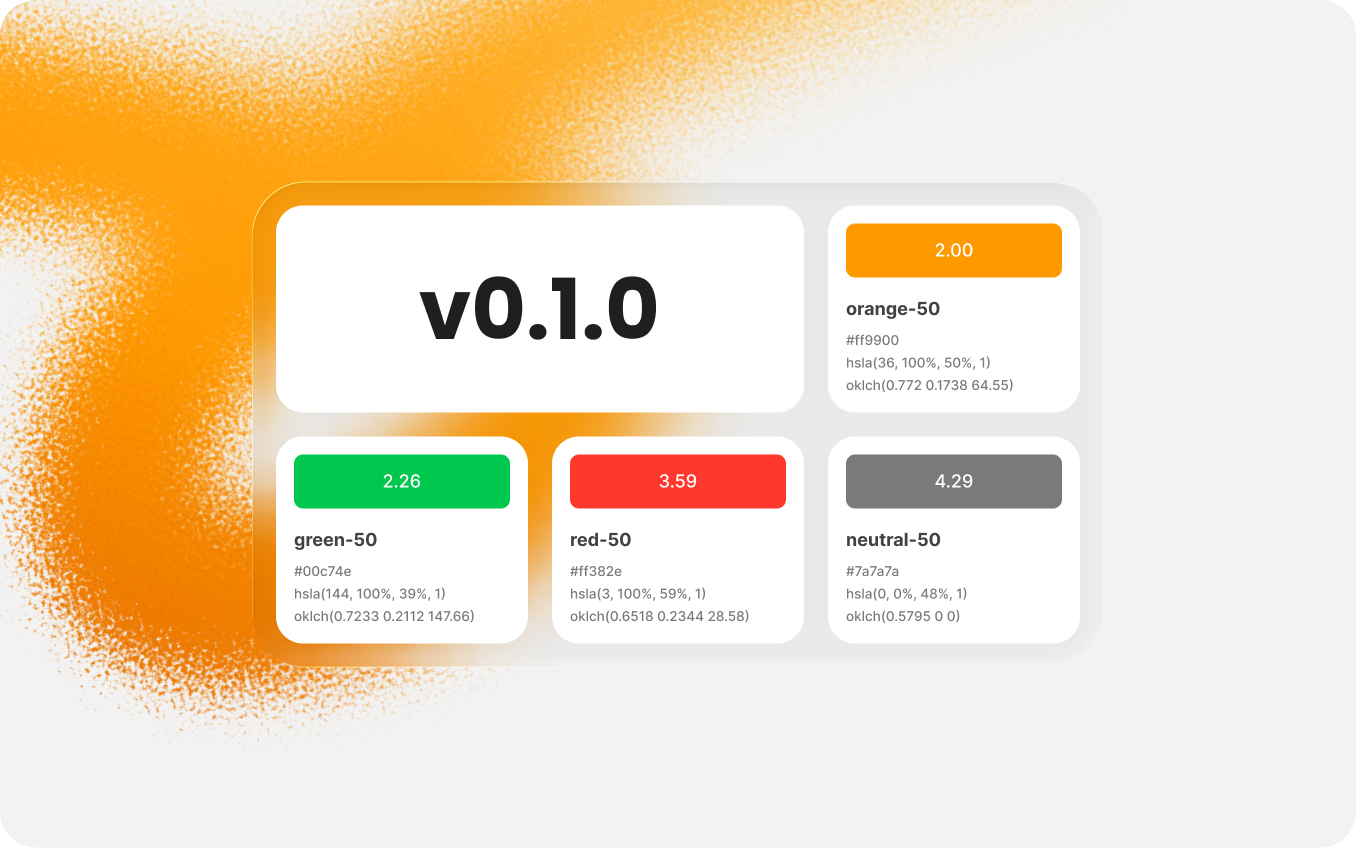
Commerly is an open, evolving design system made for eCommerce creators. This is the first public release - basically the baseline I’ll use to follow the changes and updates from here.
The goal isn’t a “final” system - but a base you can adapt to your product and keep moving.
This release is about two things: to make the file ready to publish, and to keep advancing the Foundation - starting with four updated color palettes: Neutral, Red, Orange, and Green.
Changelog (v0.1.0)
First of all, I wanted v0.1.0 to feel like a solid public starting point. So a big part of this release is the “boring but important” work. Firstly, I cleaned up the file, removed things I don’t plan to use, then I structured the file, and added status labels across the system. It’s not a "WOW" kind of update, but it makes future updates much easier to follow - for both you and me.
The biggest visible change is color rework. I changed the method of color palette creation, to avoid over darkened and hard-to-use shades and made the palettes more saturated and practical. The idea is that you can use every shade of palette for various UI scenarios. I also updated how palettes are presented in the file, so they’re easier to use and informative at the same time.
And finally, I added a quick "Getting started" section, a simple status/update policy, and a changelog page — so the system can keep evolving without turning into a mess over time.
Foundation
- Updated: four color palettes (Neutral, Red, Orange, Green) - now marked “Stable”
- Added: color system structure (palettes, main colors, semantic colors, variables)
- Added: typography
- Added: space & radius
- Added: grid
- Added: effects
- Added: icons (external resource link)
Components
- Added: button
- Added: input
- Added: avatar
- Added: badge
- Added: checkbox
- Added: radio button
- Added: tag
- Added: toggle
- Added: tooltip
File pages
- Added: Getting Started + Status & Update Policy (intro page)
- Added: Changelog
- Added: License
- Added: File assets
Status updates
- Colors (Neutral, Red, Orange, Green): updated and status were set to “Stable”
- Buttons: status were set to “In progress”
- Typography: status were set to “Planned”
- Color palettes (system-wide): status were set to “Planned” (a direction marker for upcoming palette reworks)
Conclusion
Despite the fact this product is yet in an early phase of development. This update is a good starting point. So if you have an ideas for an improvement or want to try it by yourself, use the links down below.
Download v0.1.0: click hereFeedback / issues: use this form
#update
·
29 Mar 2026
Support on Patreon
Support freely. Cancel anytime.
Starts from €3/month
Become a Patron
Commerly is an open, evolving design system made for eCommerce creators. This is the first public release - basically the baseline I’ll use to follow the changes and updates from here.
The goal isn’t a “final” system - but a base you can adapt to your product and keep moving.
This release is about two things: to make the file ready to publish, and to keep advancing the Foundation - starting with four updated color palettes: Neutral, Red, Orange, and Green.
Changelog (v0.1.0)
First of all, I wanted v0.1.0 to feel like a solid public starting point. So a big part of this release is the “boring but important” work. Firstly, I cleaned up the file, removed things I don’t plan to use, then I structured the file, and added status labels across the system. It’s not a "WOW" kind of update, but it makes future updates much easier to follow - for both you and me.
The biggest visible change is color rework. I changed the method of color palette creation, to avoid over darkened and hard-to-use shades and made the palettes more saturated and practical. The idea is that you can use every shade of palette for various UI scenarios. I also updated how palettes are presented in the file, so they’re easier to use and informative at the same time.
And finally, I added a quick "Getting started" section, a simple status/update policy, and a changelog page — so the system can keep evolving without turning into a mess over time.
Foundation
- Updated: four color palettes (Neutral, Red, Orange, Green) - now marked “Stable”
- Added: color system structure (palettes, main colors, semantic colors, variables)
- Added: typography
- Added: space & radius
- Added: grid
- Added: effects
- Added: icons (external resource link)
Components
- Added: button
- Added: input
- Added: avatar
- Added: badge
- Added: checkbox
- Added: radio button
- Added: tag
- Added: toggle
- Added: tooltip
File pages
- Added: Getting Started + Status & Update Policy (intro page)
- Added: Changelog
- Added: License
- Added: File assets
Status updates
- Colors (Neutral, Red, Orange, Green): updated and status were set to “Stable”
- Buttons: status were set to “In progress”
- Typography: status were set to “Planned”
- Color palettes (system-wide): status were set to “Planned” (a direction marker for upcoming palette reworks)
Conclusion
Despite the fact this product is yet in an early phase of development. This update is a good starting point. So if you have an ideas for an improvement or want to try it by yourself, use the links down below.
Download v0.1.0: click hereFeedback / issues: use this form
#update
·
29 Mar 2026
Support on Patreon
Support freely. Cancel anytime.
Starts from €3/month
Become a Patron